Demo project · Trades and construction
Atelier OS: management software for a metalwork shop, from order to job site.
A demo project showing what custom business software brings to a trade business: orders, stock, team scheduling and reporting in one place.
Fictional brand, fictional data: this project illustrates the approach, it is not a client.
Open the demo (new tab)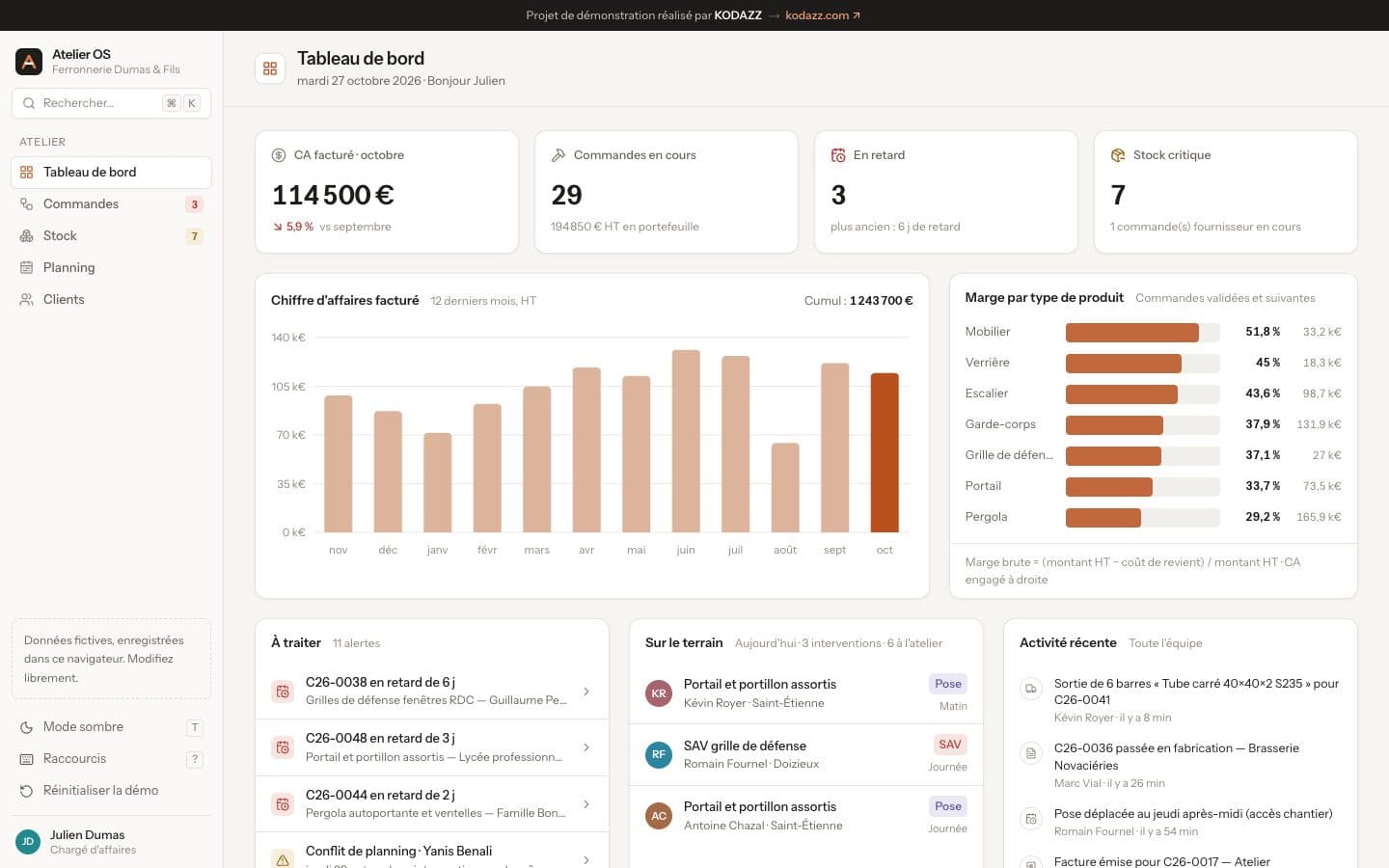
Context
Ferronnerie Dumas & Fils is a company invented for this project: a metalwork shop of around ten people that builds railings, gates, staircases, glass partitions and pergolas in its workshop, then installs them at customers' sites. All data shown is fictional.
The problem
- Orders, material stock and the schedule live in separate files.
- The account manager can't tell which orders are late without making calls.
- The team schedule is rebuilt every week and slot conflicts are found late.
- Margin by product type is only known at year end.
The solution
A single web application built around five screens: dashboard, orders, stock, scheduling and customers. Everyone finds what concerns them, in the office or in the workshop.
Features
Dashboard
Invoiced revenue, orders in progress, delays, critical stock and margin by product type.
Alerts to handle
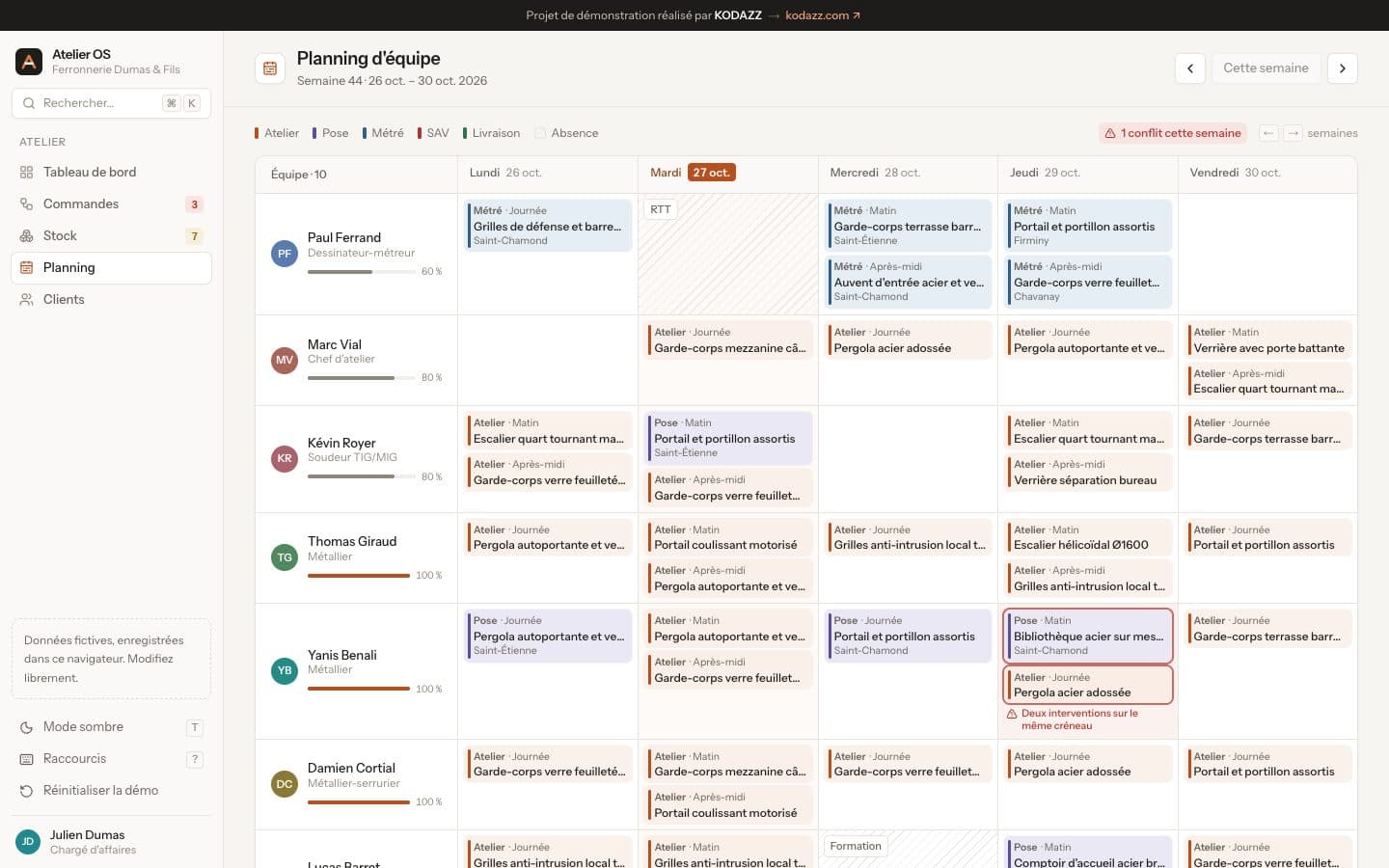
Late orders and scheduling conflicts automatically rise to the top of the screen.
Team scheduling
A week per person and per activity (workshop, installation, survey, after-sales, delivery), with double-booking detection.
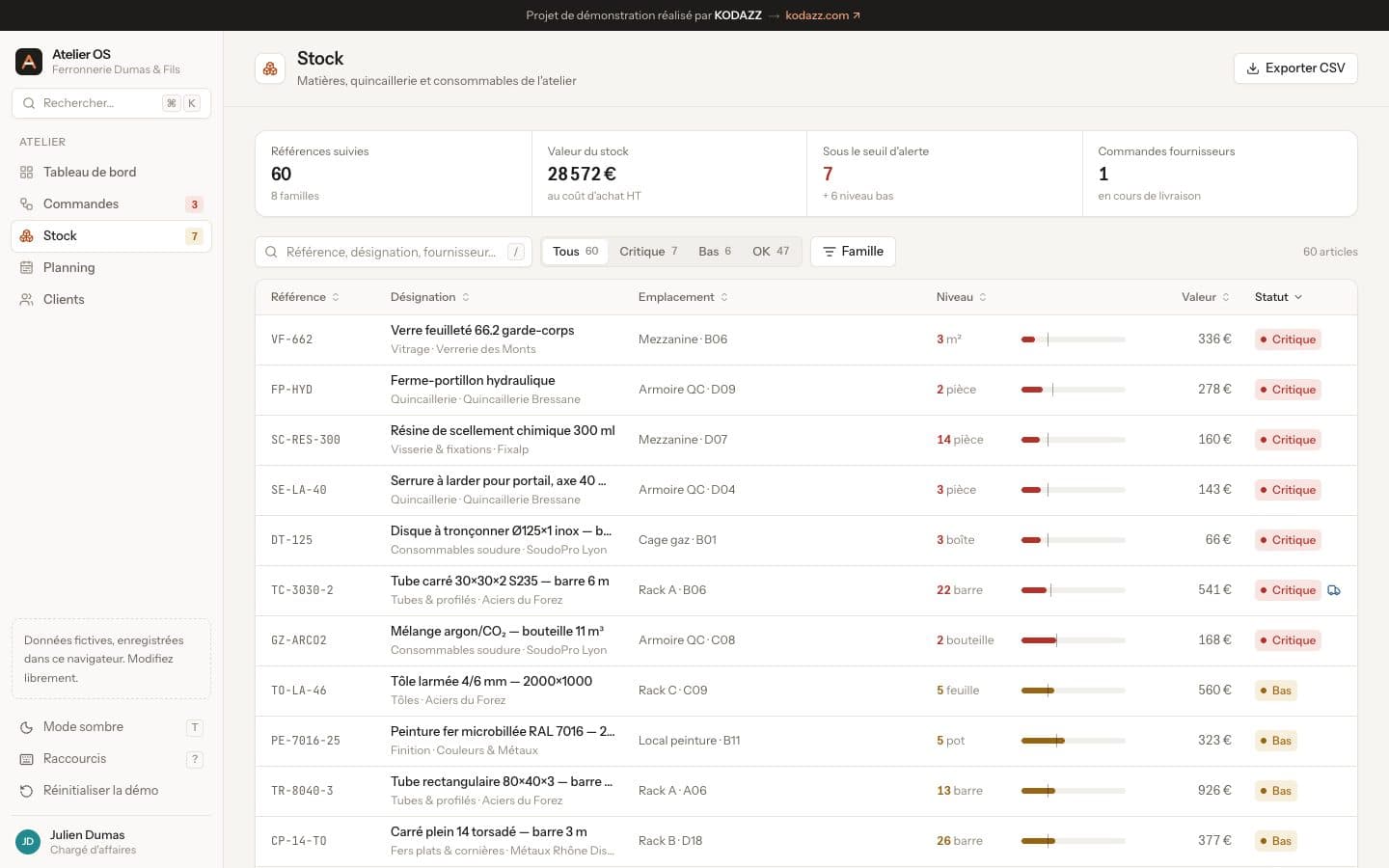
Stock and purchasing
Stock levels, critical thresholds and pending supplier orders.
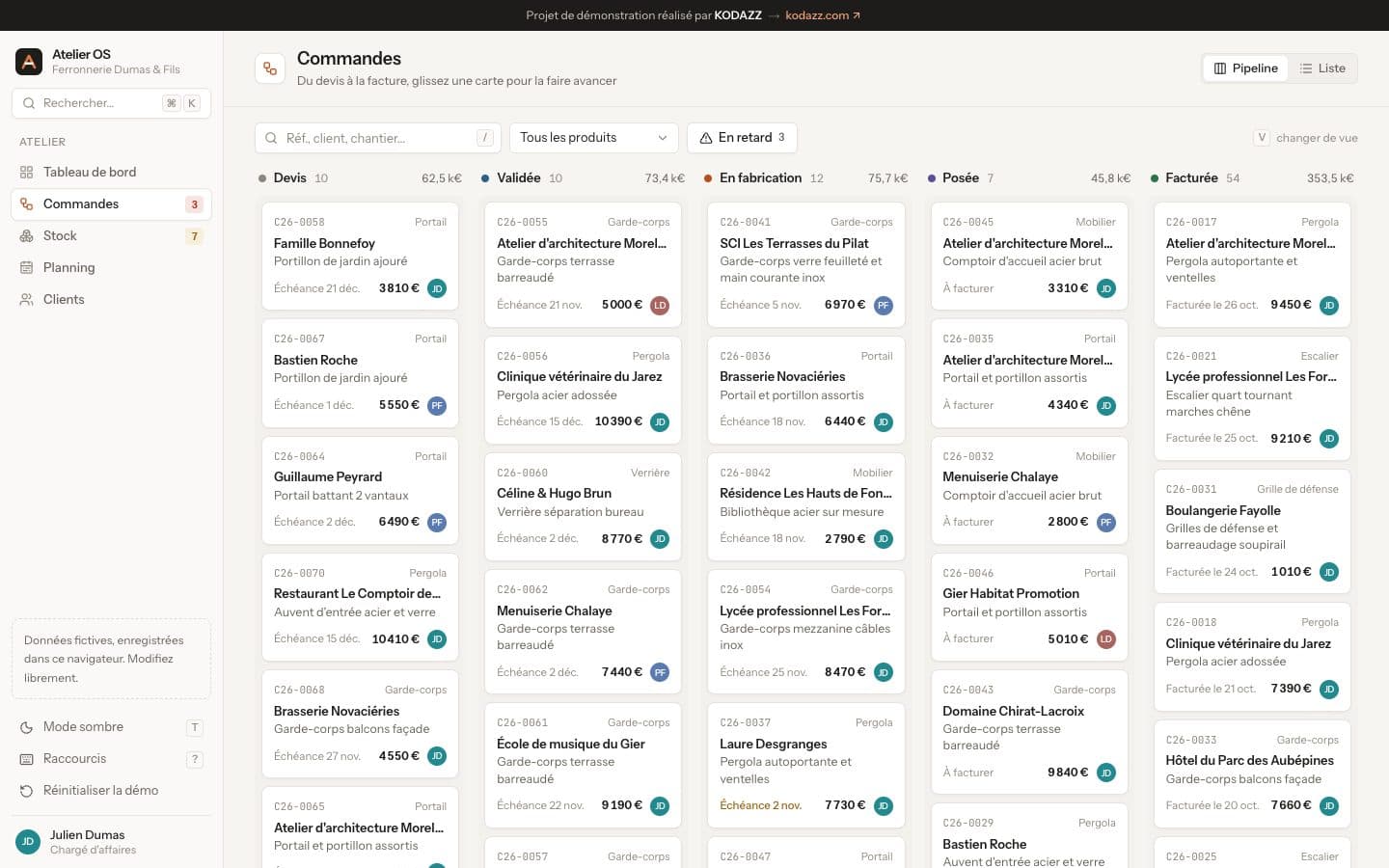
Order and customer tracking
Each order, its progress and history, linked to the customer.
Ease of use
Quick search, keyboard shortcuts and dark mode.
How a project like this typically unfolds
- 01
Immersion
One to two days in the workshop and office to observe order taking, fabrication and installation planning.
- 02
Diagnosis
Mapping of files and exchanges, priorities: delays, scheduling, stock.
- 03
Prototype
Screens approved with the account manager and workshop lead before development.
- 04
Development and migration
Stage-by-stage delivery, migration of existing orders, customers and stock.
- 05
Deployment
On-site team training, then maintenance and improvements.
Diagnosis
Let's talk about your processes.
Describe your situation in a few questions. I'll get back to you within one business day for a 30-minute first conversation, with no commitment.
Reply within one business day